Get more done with Chrome

Filters:

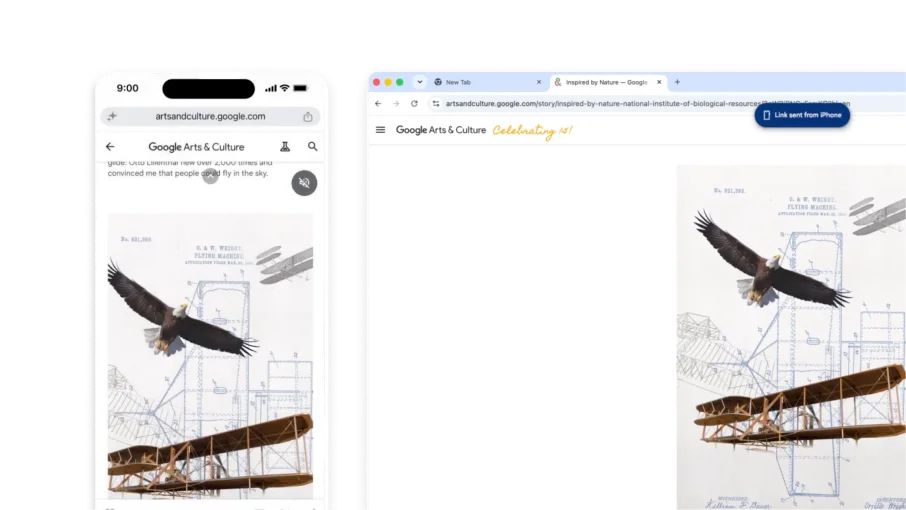
    Chrome tab right-click menu shows 'Send to your devices' with a 'New' badge, listing connected devices in a sub-menu.

    Artificial Intelligence

    Pick up where you left off
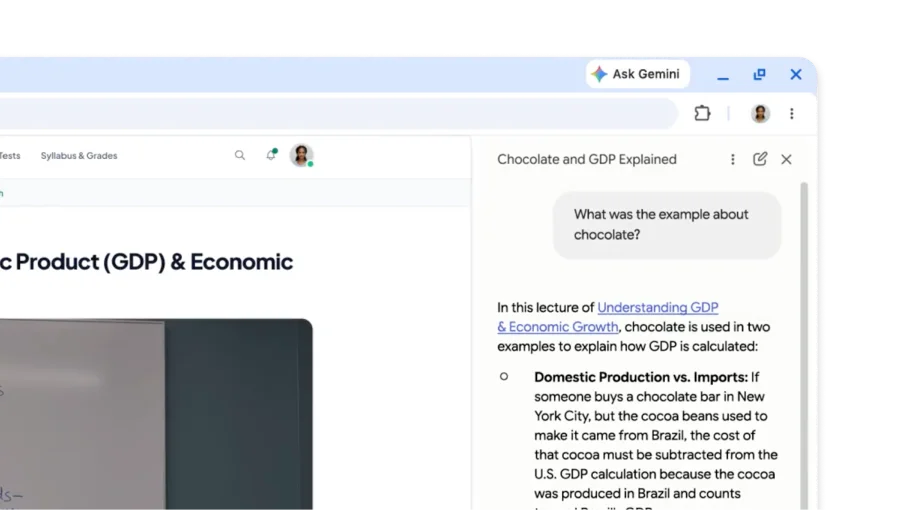
    On an educational video, a user asks Gemini in Chrome for an example that the video gave and the timestamps where it was covered

    Artificial Intelligence

    Ask about videos or audio that you've played
    productivity

    A new way to view your tabs

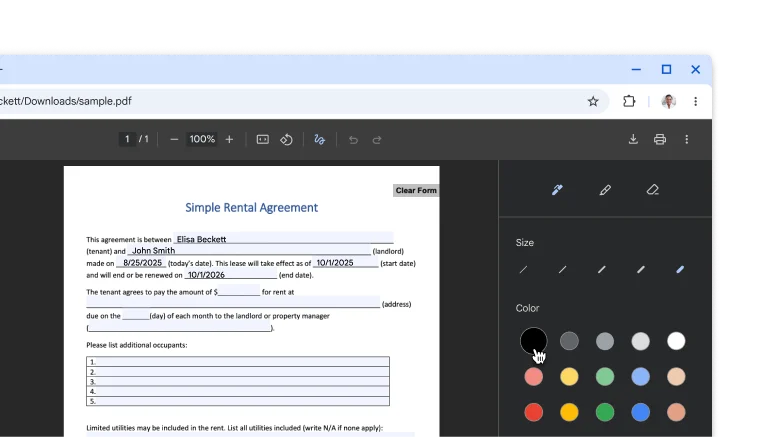
    A PDF open in the Chrome PDF viewer with hand-drawn annotations and signature.

    productivity

    Sign and annotate your PDFs

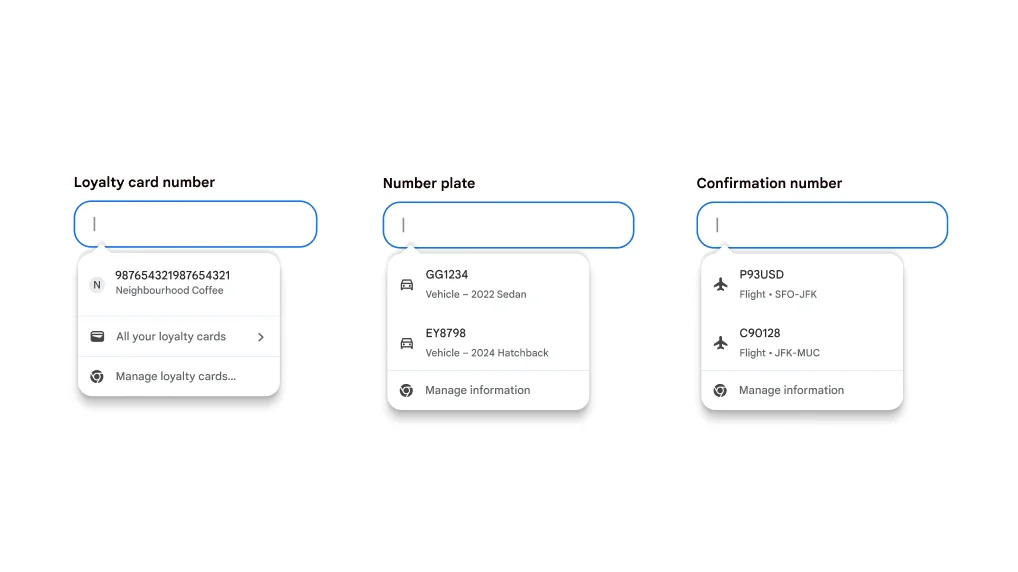
    Autofill user experience for filling in loyalty cards, vehicle information and flight information.

    productivity

    Autofill your loyalty cards, flight details and vehicle info

Artificial Intelligence

Pick up where you left off

Send any open tab to another of your devices in a couple of clicks. Chrome keeps your spot on the page and brings along what you've typed into forms, so you never have to start over.

  1. Make sure that you're signed in to Chrome with the same account on your phone and computer.
  2. On your phone, tap and hold the address bar and select Send to your device.
  3. Choose a device, like your computer. The tab will open in your computer's tab strip.

Tip: To send tabs from your computer, right-click on any tab to get started.

Artificial Intelligence

Ask about videos or audio that you've played
You can ask questions about what you heard in video and audio, and Gemini in Chrome can answer them. Try asking for details or summaries to better understand the content that you've listened to.

  1. Open Gemini in Chrome.
  2. Share the tab with the audio or video.
  3. Ask a question about what you're listening to.

To turn off this feature, go to Chrome's settings > AI in Chrome > Gemini in Chrome. Then, turn off the 'Media understanding' setting.

productivity

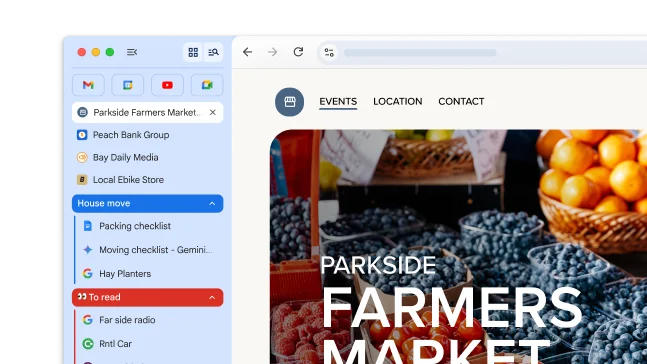
A new way to view your tabs
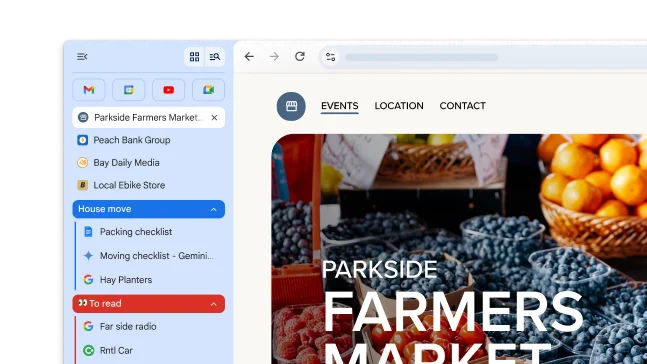
Vertical tabs moves your tabs to the side of your window, allowing you to see entire tab titles, easily manage tab groups and free up vertical space. It's the perfect setup if you typically have a lot of tabs open at once.

To move your tabs, right-click your tab strip and select Show tabs vertically.

productivity

Sign and annotate your PDFs
Skip downloading and printing when it's time to sign a PDF. Use the annotation tool to hand-draw your personal signature, complete forms and highlight lines.

  1. Open a PDF and click Annotations .
  2. Choose your pen or highlighter style and colour.
  3. Draw your annotation or signature, and click Save .

Tip: To make it easier to draw on a small line, Zoom the PDF.

productivity

Autofill your loyalty cards, flight details and vehicle info

Stop digging for details! Chrome now integrates with Google Wallet to quickly and securely autofill more types of information.

  • Loyalty cards: Earn your rewards without the physical card.
  • Vehicle info: Quickly complete forms for insurance quotes, parking bookings or registering your car online.
  • Flight details: Check in faster with automatic filling of confirmation numbers and dates.
Autofill user experience for filling in loyalty cards, vehicle information and flight information.